
A password manager that doesn't phone home.
Local-first, one-time price. Your vault stays on your device — always offline, always yours.
Simple by design.
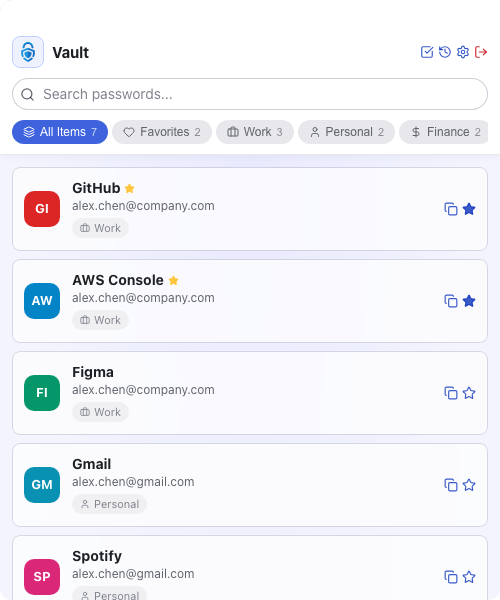
All your credentials, organized in one place.
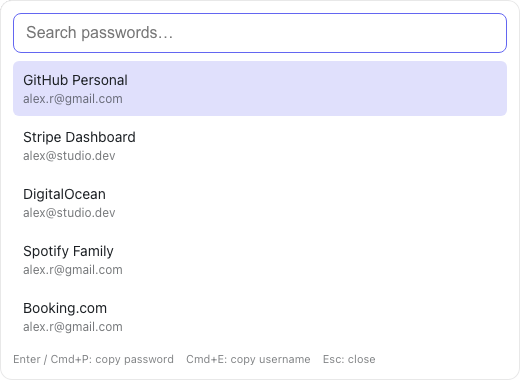
Reach your vault from any app — no window switching.
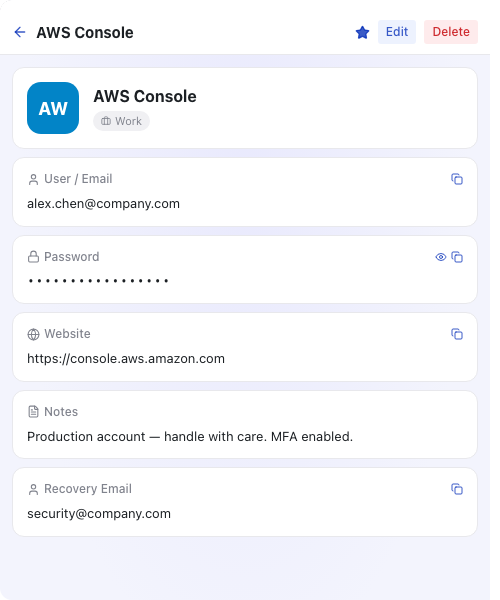
Every field at a glance — copy, reveal, edit.
Reach your vault from any app — no window switching.
Hit Cmd+Shift+L from anywhere to summon a quick-search overlay. Type a few letters of the site name, hit Enter to copy the password (or Cmd+E for the username), and the overlay disappears. Vaultz lives in your menu bar, pre-warmed in the background, so the overlay opens in microseconds — no cold launch.
- Cmd+Shift+L from any app — no window switching
- Enter to copy password, Cmd+E to copy username, Esc to close
- Tray-resident and pre-warmed, opens in microseconds
All your credentials, organized in one place.
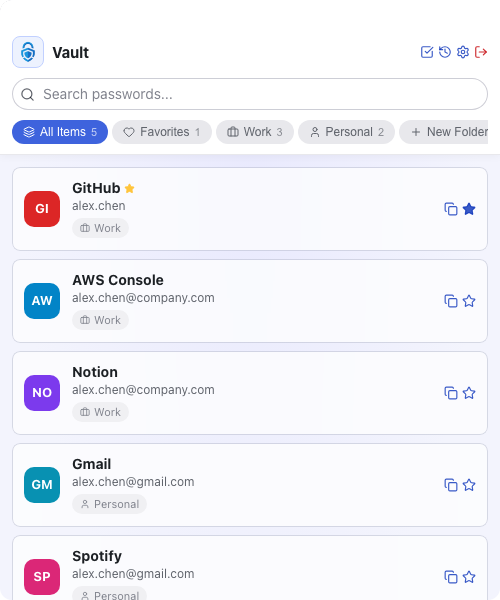
The dashboard shows all your passwords in a clean list with folder tabs for quick filtering. Search by name instantly. Favorite entries are marked for fast access.
- Instant search across all entries
- Folder tabs for filtered views
- Favorites highlighted at the top
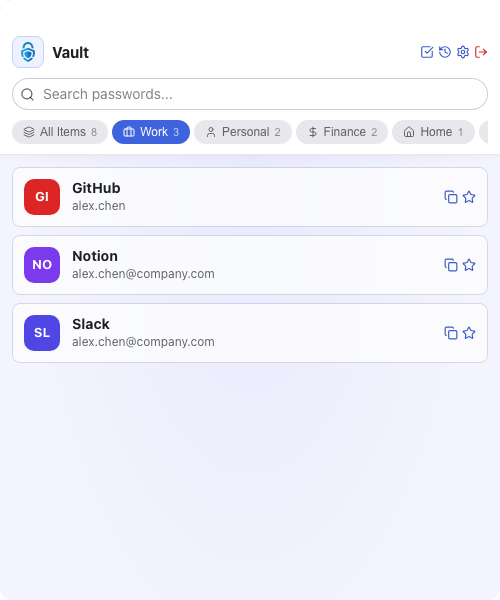
Custom folders keep every credential in context.
Create up to five folders with custom names and icons — Work, Finance, Personal, or whatever fits your life. Switch between them with a single click from the dashboard.
- Up to 5 custom folders with icon picker
- Per-folder password count badge
- One-click folder switching on the dashboard
Every field at a glance — copy, reveal, edit.
Open any entry to see its username, password, website, notes, and recovery email on a clean detail page. Copy any field instantly, toggle password visibility, and mark entries as favorites.
- One-tap copy for any field
- Toggle password visibility on demand
- Star entries as favorites from the detail view
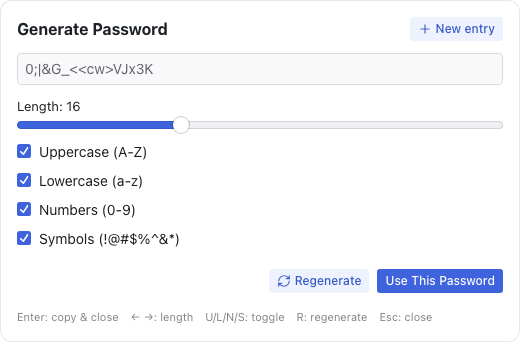
Generate strong passwords without breaking your flow.
Cmd+Shift+G summons the generator overlay from anywhere. Tweak length and character sets with the keyboard — arrows for length, U/L/N/S to toggle uppercase, lowercase, numbers, symbols. Hit Enter to copy and the overlay closes itself. Forgot to save it? The last 10 generated passwords are kept in encrypted in-session history, cleared on lock or timeout.
- Cmd+Shift+G overlay with keyboard-driven length and charset toggles
- Enter to copy and close — no friction
- Encrypted in-session history of the last 10 generated passwords
Select multiple entries and act on them at once.
Activate selection mode to checkbox-select multiple entries. Bulk-favorite, unfavorite, or delete a batch of passwords in one action — ideal for cleaning up after a breach or spring-cleaning your vault.
- Multi-select mode with checkboxes
- Bulk favorite, unfavorite, or delete
- Select All / Deselect All shortcuts
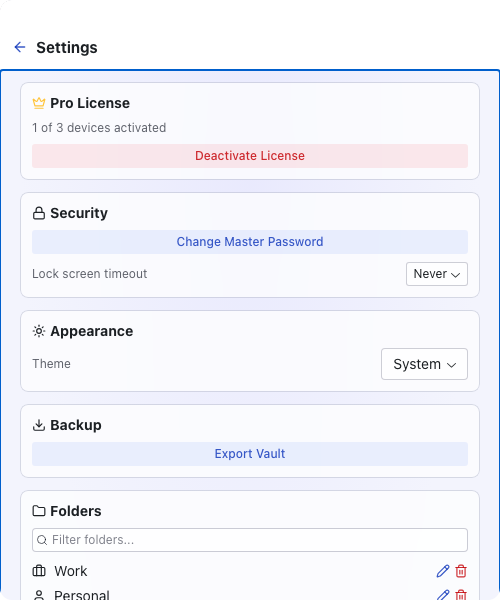
Lock screen, master password, and encrypted backups.
Configure auto-lock with a timeout that fits your workflow. Change your master password at any time, export an encrypted vault backup for safekeeping, and manage keyboard shortcuts from a single settings screen.
- Configurable auto-lock timeout (1–30 min)
- Change master password anytime
- Export encrypted vault backup
FAQ
Is this a subscription?
No. $12 is a one-time payment. You own it permanently, including all future updates to your purchased version.
Where is my data stored?
Entirely on your device. Vaultz never connects to the internet and has no cloud component. Your vault file lives on your machine and nowhere else.
Is it safe to trust a small indie app with my passwords?
The full code is on GitHub and anyone can inspect it. Your data is encrypted locally and never transmitted anywhere.
Can I verify it's really offline?
Yes — the full source is on GitHub.